
Userfeel Review 2026: Earn Cash Testing Websites and Apps
Userfeel is a remote usability testing platform where eligible testers can earn cash by testing websites, apps, and prototypes while speaking their thoughts out loud. It is legitimate, but test invites depend on your profile, demographics, language, tester rating, and client demand.
 Reviewed by 𝔸𝕓𝕕𝕆 Essen
Requirements
Computer, tablet, or smartphone
Windows 10 or newer if using Windows
Mac, iOS, or Android device where supported
Stable internet connection
Working microphone
Quiet place to record
Userfeel account
Complete unpaid qualification test
Speak the test language fluently
Honest demographics and screener answers
PayPal account or bank transfer option where available
Must follow test instructions carefully
Do not use VPNs or misleading profile information
How it works
What is Userfeel?
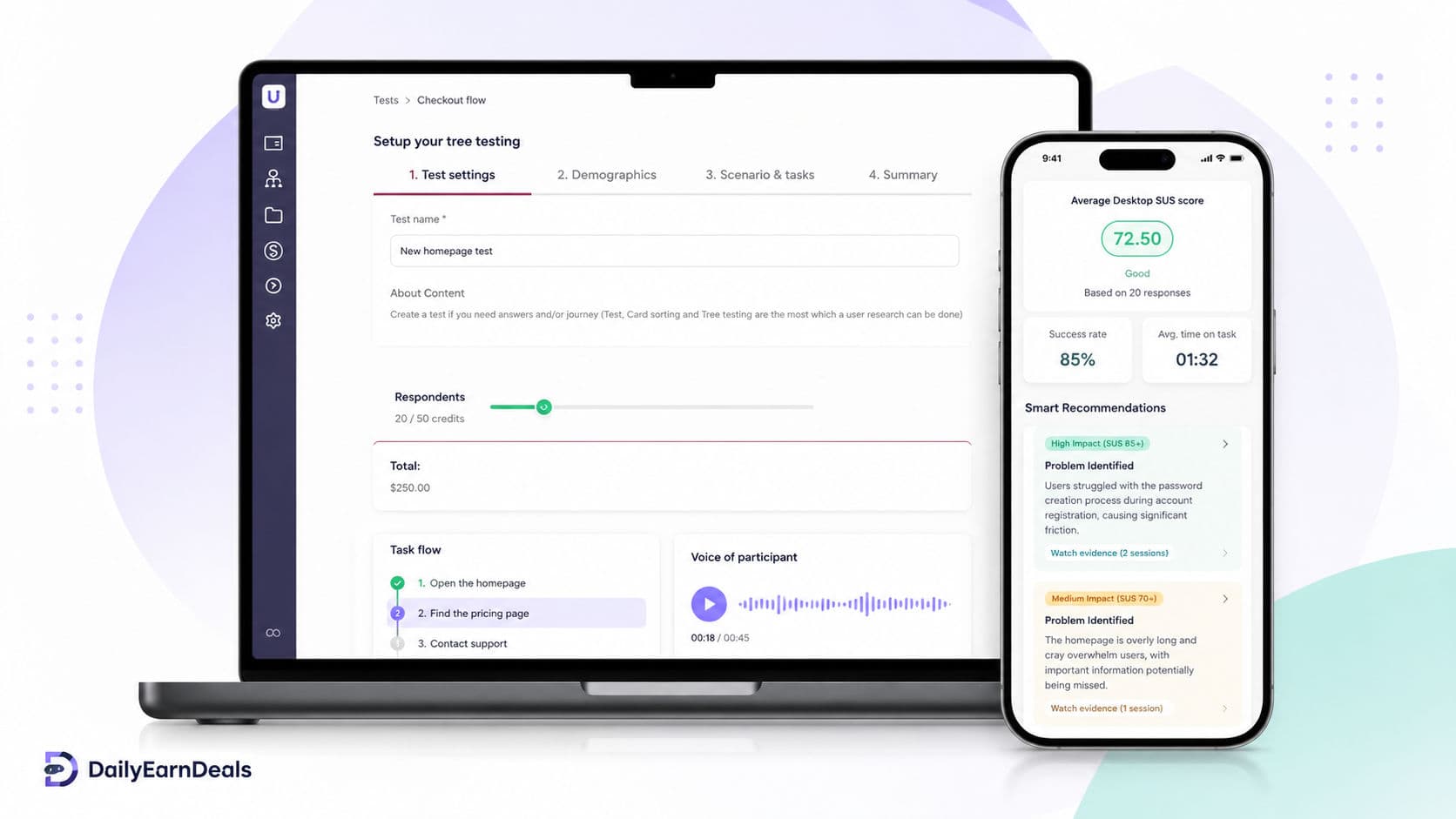
Userfeel is a usability testing platform that pays eligible testers to review websites, apps, and prototypes. Companies use Userfeel to see how real people interact with their websites or apps, where they get confused, and what can be improved.
As a tester, your job is not to give expert design advice. You follow a test scenario, complete simple tasks on screen, and speak your thoughts clearly while recording your screen and voice. For example, you may be asked to find a product, test a checkout flow, explore a landing page, or explain what feels confusing.
Userfeel says testers can earn $3–$30 per test, depending on test length. Most tests are around 20 minutes and pay $10. Tests may be completed on a computer, tablet, or smartphone.
Userfeel is not a job and should not be treated as guaranteed income. It is better described as a remote micro-job platform for occasional website and app testing tasks.
How Userfeel works
Userfeel works by matching testers with client studies. You create a tester profile, complete the unpaid qualification test, and wait for test invitations that match your demographics, language, device, and profile.
Common test types include:
Website tests: Visit a website and complete specific tasks.
App tests: Test mobile apps or app flows on a phone or tablet.
Prototype tests: Give feedback on early designs before a product is launched.
E-commerce tests: Try to find products, compare options, or go through a checkout flow.
UX feedback tasks: Explain what is confusing, what works well, and what could be improved.
Before you can start paid tests, Userfeel requires an unpaid qualification test. This checks that your microphone works and that you can explain your thoughts clearly while completing tasks. Userfeel says the qualification test may need to be repeated if the tester does not meet the required criteria.
Tests are assigned only when you match the client’s demographic criteria. You may also need to answer screener questions before starting. If you do not match the criteria, the test can go to another tester.
How much can you really earn?
Userfeel pays based on test length:
$3 for 5-minute tests
$10 for 20-minute tests
$20 for 40-minute tests
$30 for 60-minute tests
A safe reward description for DailyEarnDeals is:
$3–$30 per approved test
This is accurate and short. It also avoids making the offer sound like guaranteed daily income.
The important point is that test availability is not guaranteed. Userfeel says the number of tests depends on customer orders, tester rating, performance, response time, and profile fit. Some testers may receive several tests, while others may receive very few. Userfeel also clearly says there is no guaranteed number of tests.
So the best expectation is occasional paid testing work, not stable income.
Payout
Userfeel pays approved test payments into the tester’s Userfeel Wallet in about one week. After that, testers can withdraw through PayPal or bank transfer in specific countries.
This means the safest payout methods to list are:
PayPal
Bank transfer
Payment depends on the test being approved. Userfeel may deny payment if the tester does not complete all tasks, does not speak clearly, has bad audio, records the wrong screen, uses misleading demographics, uses a VPN, or fails to upload the test video correctly.
A simple payout summary for your article:
Userfeel pays $3–$30 per approved test, depending on the test length. Approved payments are usually added to the Userfeel Wallet in about one week, and testers can withdraw through PayPal or bank transfer where available.
Who it’s best for
Userfeel is best for people who are comfortable speaking out loud while using websites and apps. You do not need to be a designer or developer. Clients want to hear what normal users think while completing tasks.
It can be a good fit if you:
Have a clear microphone
Can speak your thoughts naturally
Have a quiet place to record
Can follow instructions carefully
Speak one or more languages fluently
Are comfortable testing websites or apps on desktop or mobile
Userfeel is not ideal if you need fast daily income, guaranteed work, or instant payouts. Test invitations can be irregular, and payments depend on approval.
How to start
Visit the official Userfeel tester page.
Create a tester account with accurate profile information.
Add your real native language and any other fluent languages.
Install the Userfeel recording app if required.
Complete the unpaid qualification test.
Use a quiet room and a working microphone.
Wait for test invitations that match your profile.
Answer screener questions honestly.
Follow each test scenario carefully.
Speak clearly and explain what you are doing and thinking.
Submit the recording and wait for approval.
Withdraw approved earnings through PayPal or bank transfer where available.
For equipment, Userfeel says testers need a Windows or Mac computer, mobile phone, or tablet. Windows users need Windows 10 or newer, and the device must have an internal or external microphone.
Tips to earn more safely
Complete your profile honestly.
Do not use fake demographics to qualify for more tests.
Use your real native language only.
Test your microphone before every session.
Record in a quiet room.
Speak continuously while completing tasks.
Say what confuses you instead of trying to look perfect.
Do not enter real credit card details, real passwords, real home address, or sensitive information during tests.
Do not use VPNs or location tricks.
Start tests quickly when you receive a notification because another tester may get the spot if you wait too long.
Userfeel says testers should not use real credit card details or sensitive personal information during tests. If a checkout process is being tested, testers are usually asked to stop before the final submit button or use fake details.
Pros & cons
Pros
- Pays real cash for approved website and app tests
- Clear test rates from $3 to $30
- Most 20-minute tests pay $10
- PayPal and bank transfer may be available
- No technical design skills required
- Good for people who can speak clearly and give honest feedback
Cons
- Qualification test is unpaid
- Test invitations are not guaranteed
- Payments depend on approval
- Poor audio or incomplete tasks can lead to no payment
- VPN use or misleading demographics can cause problems
- Bank transfer is only available in specific countries
Our verdict
Userfeel is a legitimate website and app testing platform worth trying if you can speak clearly, follow instructions, and give honest feedback. It is best for occasional remote micro-jobs, not guaranteed income.
Frequently asked questions
Is Userfeel legit?
Yes. Userfeel is a legitimate usability testing platform where eligible testers can earn money by testing websites, apps, and prototypes. Payments depend on test approval.
How much does Userfeel pay?
Userfeel pays $3 for 5-minute tests, $10 for 20-minute tests, $20 for 40-minute tests, and $30 for 60-minute tests.
What is the best reward amount to list?
Use: $3–$30 per approved test.
How does Userfeel pay testers?
Approved payments reach the Userfeel Wallet in about a week. Testers can withdraw through PayPal or bank transfer in specific countries.
Does Userfeel guarantee tests?
No. Test availability depends on customer orders, demographics, tester rating, performance, and response time. Some users may receive many tests, while others may receive very few.
Is the Userfeel qualification test paid?
No. The qualification test is unpaid. It is used to check whether your microphone works and whether you can explain your thoughts clearly while testing.
What devices do I need?
You can use a Windows or Mac computer, mobile phone, or tablet. Windows users need Windows 10 or newer, and the device must have a microphone.
Do I need to buy anything during tests?
No. Userfeel says testers should not enter real credit card details. Some tests may ask you to go through a checkout flow, but most scenarios stop before final purchase.
Can I use a VPN?
No. Userfeel is best for occasional paid testing tasks, not stable employment or guaranteed income.
Disclosure: some links on this page are affiliate or referral links — we may earn a commission at no extra cost to you. Rewards and eligibility are set by the offer provider and can change. Always check the provider's current terms before joining. See our affiliate disclosure.
Official page: www.userfeel.com/tester-faq
Report this offer as expired or wrong
Similar offers

iSecretShop Review 2026: Mystery Tasks, Pay & Requirements
iSecretShop review: understand mystery-shopping tasks, provider-set pay, payment timing, requirements, and assignment risks.

Premise Review 2026: Local Tasks, Surveys & Payouts
Premise review: how local tasks, surveys, photo work, country availability, payouts, privacy, and task rejection rules work.

Field Agent Review 2026: Local Tasks, Cash-Outs & Risks
A fact-checked Field Agent review covering local retail tasks, $3 cash-out, verified direct deposit, PayPal limitations, timing, eligibility, and risks.
Comments(0)
Comments come from visitors using self-chosen display names — they are not verified accounts and don't represent DailyEarnDeals. Every comment is reviewed by a person before it appears.